Loan Automation FAQs (Canada)
See Mortgage Automator In Action



Answers to Common Loan Automation Questions
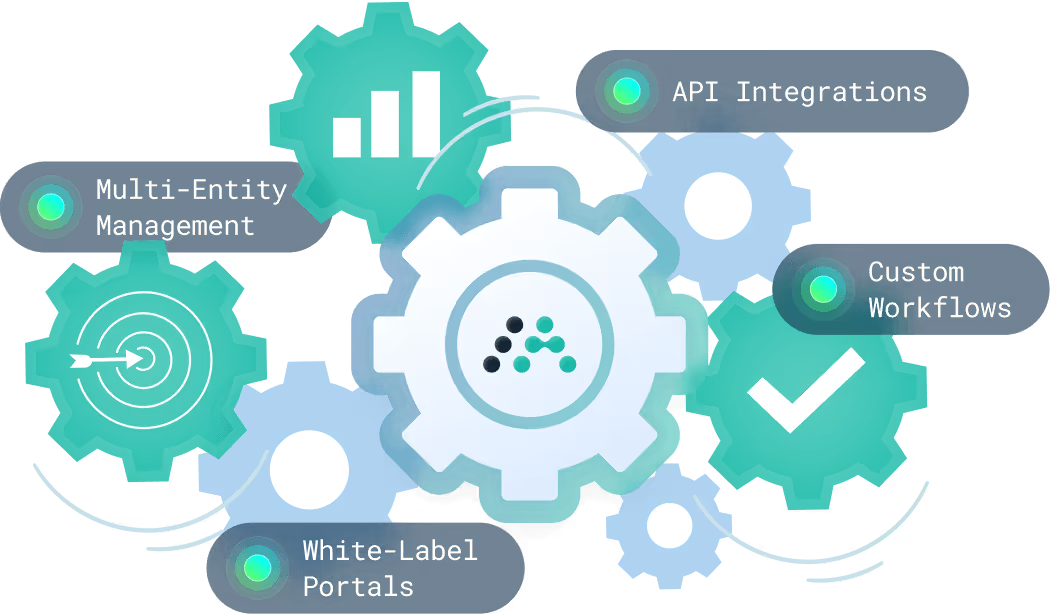
Loan Origination & Closing Automation
How can lenders automate closing documents in an LOS?
Private lenders can automate closing documents by connecting borrower, loan, property, and deal data directly to standardized document templates inside the LOS. Once the required information is complete, the system can generate closing packages automatically based on the loan type, jurisdiction, or internal workflow rules.
Automation also helps reduce manual review by routing documents through approval workflows before they are finalized. Teams can add required checks, trigger e-signature steps, and track document status from preparation through execution. Audit trails make it easier to see who reviewed, approved, sent, or signed each document.
The right LOS should allow lenders to manage document generation, approvals, e-signatures, and document tracking without relying on disconnected files or manual follow-ups.
What is no-code workflow automation in an LOS?
No-code workflow automation gives private lenders more control over how loans move through the loan origination process. Instead of submitting technical requests to update routing logic or approval steps, teams can configure workflows using visual tools that define what happens when specific conditions are met.
For example, a submitted application can trigger a document request, assign a task to underwriting, route a file for approval, or notify the right team member based on loan type, deal size, borrower profile, or internal lending criteria. Conditional logic helps each loan follow the correct path without manual sorting.
How to reduce closing package errors with automation?
Many closing package errors happen when teams rely on manual data entry, outdated templates, or disconnected document versions. Automation helps reduce those risks by checking that required fields are completed before documents move forward. Validation rules can flag missing borrower details, incorrect loan terms, incomplete property information, or other inconsistencies before the package is prepared.
Standardized templates also help ensure every closing package follows the correct structure for the loan type, jurisdiction, or internal process. Version control makes it easier to prevent teams from using outdated documents or making changes outside the approved workflow.
How to reduce loan cycle time with workflow automation?
Loan cycles often slow down when teams rely on manual follow-ups, unclear ownership, or disconnected approval steps. Workflow automation helps reduce those delays by defining what needs to happen next, who’s responsible, and when each task should be triggered.
For example, once an application is submitted, the system can assign review tasks, notify underwriting, request missing documents, or route the file for approval based on predefined conditions. Task dependencies help ensure that steps happen in the right order, while automated notifications prevent files from sitting idle when action is required.
What is loan processing?
Loan processing is the part of the lending workflow where the borrower’s application is reviewed, organized, verified, and prepared for a decision. It usually happens after application intake and before final approval, closing, or funding. The processor’s role is to make sure the loan file is complete enough for underwriting, compliance review, and any required approvals.
The process often starts with an application review. The lender or processor checks the borrower’s submitted information, loan request, property details, income or business documentation, credit information, collateral, and other supporting materials. If anything is missing, unclear, or inconsistent, the processor may request additional documents or clarification from the borrower, broker, loan officer, or third-party partner.
Verification is a major part of loan processing. Depending on the loan type, this may include confirming borrower identity, income, assets, property information, insurance, title details, appraisal information, entity documents, or other loan-specific requirements. In private lending, the verification process may also focus heavily on collateral, loan-to-value ratio, exit strategy, project details, borrower experience, or supporting documentation for the deal.
Loan processing also supports underwriting. A processor does not always make the final credit decision, but they help prepare the file so the underwriter or decision-maker can review it efficiently. That means organizing documents, clearing basic conditions, checking required fields, tracking outstanding items, and making sure the right information is available before the file moves forward.
Document management is another important part of the process. Loan files often include applications, borrower uploads, disclosures, property documents, financial records, approval notes, closing documents, and communication history. When these items are managed across email threads or shared folders, it becomes easier for teams to miss something or work from outdated information.
Workflow automation can make loan processing more efficient by reducing the manual follow-up behind each file. For example, if a borrower uploads a required document, the system can notify the processor to review it. If a condition is still outstanding, an automated reminder can be sent. If a file is ready for underwriting, the workflow can route it to the next person without waiting for a manual handoff.
For lenders, stronger loan processing workflows can reduce turnaround times, improve file accuracy, and create a smoother borrower experience. Borrowers receive clearer requests and fewer repeated follow-ups, while internal teams get better visibility into what has been completed, what is still missing, and which files are ready for review.
Loan Origination Software helps lenders manage processing by centralizing applications, borrower information, documents, conditions, approvals, and status updates in one workflow. Mortgage Workflow Automation adds another layer by helping teams trigger tasks, reminders, document requests, and approval steps automatically. Mortgage Automator supports these workflows by helping private lenders organize loan files, reduce manual coordination, and keep applications moving from intake through approval and funding.
How much Is a loan origination fee?
A loan origination fee is the cost a lender charges for creating and processing a loan. It can cover work such as application review, borrower verification, underwriting, document preparation, funding coordination, and administrative handling. In many cases, the fee is charged upfront or included as part of the borrower’s closing costs.
For traditional mortgage loans, origination fees are commonly expressed as a percentage of the total loan amount. A lender charging a 1% origination fee on a $500,000 loan would charge $5,000. Some lenders may charge less, while others may structure origination costs through flat fees, points, or a combination of fees. Borrowers may also see these costs listed alongside other closing costs, so it is important to understand what the fee includes and what is charged separately.
Private lending can work differently. Private and hard money lenders often deal with shorter timelines, higher-risk borrowers, investment properties, bridge loans, construction loans, or more complex collateral. Because of that, origination fees may be higher than those found in conventional mortgage lending. The fee may reflect the speed of funding, underwriting complexity, property type, loan-to-value ratio, borrower profile, market conditions, and the lender’s internal pricing model.
Several factors can affect how much a loan origination fee costs, including:
- Loan size: Larger loans may generate higher total fees, even when the percentage is lower.
- Loan type: Construction, bridge, fix-and-flip, commercial, and private loans may carry different fee structures.
- Borrower risk: Credit history, income documentation, collateral quality, and repayment strength can affect pricing.
- Deal complexity: Loans that require more review, documentation, or custom structuring may involve higher origination costs.
- Lender model: Some lenders charge upfront origination fees, while others may adjust pricing through interest rates or other charges.
For example, if a private lender charges a 2% origination fee on a $300,000 bridge loan, the fee would be $6,000. The lender still needs to confirm how that fee is calculated, document it correctly, include it in the closing process, and make sure the borrower receives the required information before the loan moves forward.
Regulatory considerations also matter. In consumer mortgage lending, lenders must disclose origination charges and related costs clearly so borrowers can compare offers. Lenders should make sure fees are properly documented, consistently applied, and aligned with applicable lending rules. Private lenders also need clear processes for pricing, approvals, documentation, and borrower communication, especially when loans vary by jurisdiction, product type, or borrower profile.
Technology helps lenders manage origination fees by keeping pricing, approvals, documents, and workflow steps organized inside the loan process. Instead of tracking fee calculations, approvals, and disclosures across spreadsheets or email threads, lending teams can use Loan Origination Software to centralize loan data, automate tasks, and maintain clearer records.
Mortgage Workflow Automation can also support more consistent origination processes. For example, lenders can create workflows that trigger fee reviews, approval steps, document generation, borrower notifications, and closing tasks based on the loan type or internal policy. This helps reduce manual errors, improve visibility, and keep origination activity moving from application intake through funding.
For private lenders, this is especially useful when managing different loan products, pricing structures, and borrower scenarios. A connected origination workflow makes it easier to track what has been reviewed, what still needs approval, and which fees or documents apply before the loan moves forward. Mortgage Automator supports this type of workflow by helping private lenders organize origination activity, automate process steps, manage documents, and keep approvals visible across the loan lifecycle.
Loan Servicing Automation
How can lenders streamline discharge statements and releases?
Discharge workflows often involve several moving parts, including principal balance, accrued interest, per diem calculations, outstanding fees, discharge instructions, and any distributions or allocations tied to the loan. Automation helps by pulling the required loan and payment data into the discharge calculation, reducing the need to prepare each statement manually.
Once the discharge amount is calculated, the system can generate the statement using a standardized template and route it for review or approval when needed. Automation triggers can also initiate subsequent steps after payment is received, such as preparing the release document, assigning internal tasks, sending borrower notifications, and providing status updates.
This gives servicing teams a more reliable way to manage discharge requests from calculation through release, while reducing back-and-forth, manual document preparation, and delays in closing out the loan.
How to automate late fee calculations and notices?
Late fees are easier to manage when servicing workflows are tied directly to payment schedules and delinquency rules. Lenders can define when a payment is considered late, how grace periods apply, which fee amount should be charged, and whether notices should be sent immediately or on a scheduled timeline.
Once those rules are in place, missed or overdue payments can automatically trigger the next servicing actions. This may include adding the late fee, updating the borrower’s account, generating an invoice or statement, and sending an email or SMS notice with the relevant details. Mortgage Automator’s feature set includes payment tracking, borrower emails with late notices attached, automated SMS notifications, and additional charge workflows, which supports this type of servicing process.
How to automate borrower reminders and late fees?
Automated borrower reminders help servicing teams reduce repetitive follow-ups while keeping borrowers informed throughout the repayment process. Reminder workflows can be tied to upcoming due dates, missed payments, grace period expirations, or delinquency status changes, so communication happens at the right time without relying on manual tracking.
Late fee automation works alongside those reminders by applying predefined fee rules when a payment becomes overdue. The same workflow can generate notices, update the borrower’s payment history, and assign follow-up tasks when the account needs additional attention.
How to handle NSF and chargebacks in loan payments?
Failed payments need a clear servicing workflow because they can affect balances, borrower communication, fees, and collections activity. When a payment is returned for insufficient funds, automation can flag the failed transaction, apply the appropriate NSF fee, notify the borrower, and record the event in the loan file.
Chargebacks require a slightly different workflow. The disputed payment should be marked for review, with supporting details attached to the account and follow-up tasks assigned to the servicing team. From there, lenders can manage the next step, such as requesting an updated payment method, rescheduling the payment, or sending additional notices.
This keeps failed payment activity documented, visible, and easier to manage across servicing, while reducing the risk of missed follow-up or inconsistent fee handling.
What should lenders use for borrower portal and autopay setup?
A borrower portal should give borrowers direct access to the information and payment tools they need throughout the repayment process. Instead of contacting the servicing team for every balance request, payment confirmation, or upcoming due date, borrowers can log in to view loan details, payment history, documents, and scheduled payments.
Autopay setup should also be built into the repayment workflow. Borrowers should be able to securely add a payment method, choose an approved repayment schedule, and authorize recurring PAD or card payments. Once autopay is active, payment activity should stay synchronized with the loan record so servicing teams can track completed payments, failed payments, and upcoming transactions.
How much do loan servicing companies charge?
Loan servicing company charges depend on the pricing model, portfolio size, loan type, and level of servicing required. Loan servicing usually covers the administrative work that happens after a loan is funded, including payment collection, payment tracking, borrower communication, statements, discharge requests, delinquency management, reporting, and recordkeeping.
Many servicing companies use per-loan pricing, where the lender pays a monthly fee for each active loan being serviced. This model can be easier to forecast because costs grow with the number of loans in the portfolio. A lender with a small group of straightforward loans may pay for basic servicing support, while a larger portfolio with more borrower activity, payment variation, or reporting needs may require a higher level of service.
Some companies use percentage-based servicing fees instead. In this model, the fee may be tied to the loan balance, interest collected, payment volume, or another measure of portfolio activity. This can make sense for certain servicing arrangements, but lenders need to understand exactly what the percentage applies to and whether additional fees are charged separately.
Setup costs can also affect the total price. A servicer may charge onboarding fees to transfer loan data, configure payment schedules, set up borrower records, prepare statements, or migrate servicing history from another system. There may also be separate charges for discharge statements, late notices, NSF handling, escrow or impound administration, investor reporting, tax documents, document storage, or delinquency workflows.
Portfolio size is one of the biggest factors. A lender managing 25 monthly-payment loans may need a very different servicing setup than a lender managing hundreds of private loans, bridge loans, construction loans, interest-only loans, or investor-funded loans. The more exceptions, custom terms, borrower communication, and reporting requirements a portfolio has, the more servicing work is usually involved.
Lenders should also compare outsourced servicing with in-house servicing. Outsourcing can reduce staffing pressure and give lenders access to servicing support, but it may also reduce direct control over borrower communication, reporting timelines, and workflow changes. In-house servicing requires the right team and systems, but it gives lenders more visibility into how payments, notices, statements, and reporting are handled.
This is where software costs and servicing costs should be evaluated separately. Paying for Loan Servicing Software is not the same as paying a third party to service loans. Software gives internal teams the tools to manage servicing workflows themselves, while an outsourced servicer performs that work on the lender’s behalf.
For example, a private lender may outsource servicing while their portfolio is small, then move toward In-House Servicing as loan volume grows and reporting needs become more specific. Mortgage Automator supports that shift by helping lenders manage payment tracking, borrower records, notices, statements, reporting, and servicing workflows in a more connected platform.
How to choose a loan servicing provider?
Choosing a loan servicing provider starts with understanding what has to happen after a loan is funded. Servicing can include payment collection, borrower support, statements, discharge requests, delinquency management, escrow or impound activity, investor updates, accounting exports, and long-term recordkeeping. A provider may offer all of these services, or only a specific set, so lenders should compare capabilities against the actual needs of their portfolio.
Compliance is one of the most important areas to review. A strong provider should have clear processes for borrower notices, servicing records, audit trails, payment histories, and regulatory documentation. This becomes especially important for lenders working across multiple jurisdictions or managing private loans, construction loans, bridge loans, or other non-standard products. Ask how servicing activity is documented, how records are stored, and how the provider supports compliance reviews.
Payment handling should also be evaluated carefully. Lenders need to know which payment methods are supported, how payments are posted, how quickly records are updated, and how exceptions are managed. Failed payments, NSF events, chargebacks, late fees, discharge requests, and borrower payment histories all need reliable handling. If the provider’s payment process is unclear, internal teams may still end up doing a lot of follow-up work.
Borrower experience is another major factor. After closing, the servicer often becomes the borrower’s main point of contact. That means payment reminders, statements, discharge inquiries, status questions, late notices, and routine support need to be handled consistently. Poor communication can create borrower frustration and make it harder for lenders to understand what is happening across active loans.
Reporting and accounting should be easy to access, not something lenders have to request repeatedly. Look for clear servicing reports, portfolio summaries, delinquency reports, discharge information, payment records, and accounting exports. For investor-funded portfolios, the provider may also need to support investor distributions, loan performance views, balances, and cash movement reporting.
Scalability matters because servicing needs change as a portfolio grows. A process that works for 30 loans may not work for 300, especially if the portfolio includes custom terms, multiple payment schedules, complex loan types, or frequent exceptions. Technology integrations also matter at this stage. If the provider cannot connect with origination, accounting, payment, or reporting systems, teams may need to re-enter data across several tools.
Before choosing a provider, lenders should ask direct questions: How are payments processed and reconciled? What happens when a payment fails? How are late fees, notices, and discharge requests handled? What reports are available? How long does onboarding take? Can data be exported? Which parts of the process are automated, and which still require manual work?
Some lenders outsource servicing to reduce internal workload. Others move toward In-House Servicing because they want more control over timing, communication, reporting, and portfolio visibility. The right choice depends on loan volume, servicing complexity, staffing, and how much direct oversight the lender wants after funding.
This is where Loan Servicing Software becomes part of the evaluation. Software gives internal teams a more organized way to manage payments, borrower records, notices, statements, reporting, and servicing tasks without relying only on spreadsheets or outside providers. Mortgage Automator supports private lenders by centralizing servicing workflows, automating routine tasks, tracking borrower activity, and keeping reporting connected in one platform.
How to deal with specialized loan servicing?
Specialized loan servicing refers to the management of loans that require more attention, flexibility, or oversight than a standard mortgage loan. These may include private loans, construction loans, bridge loans, fix-and-flip loans, distressed assets, non-performing loans, commercial loans, or loans with custom repayment terms. The main challenge is that these loans often do not follow a simple monthly payment and statement cycle.
In private lending, specialized servicing can involve interest-only payments, short-term maturities, renewals, discharge planning, investor reporting, custom fees, and borrower communication that changes from deal to deal. A private lender managing bridge loans, for example, may need to track maturity dates closely, prepare discharge statements quickly, and handle repayment activity around a borrower’s exit timeline.
Construction lending adds another layer of complexity because servicing may involve draw requests, inspections, contractor documentation, milestone tracking, and staged disbursements. Funds are released as the project progresses, so the servicing workflow needs to support review and approval before money moves. Without a clear process, teams can lose visibility into what has been inspected, what has been approved, and what still needs documentation.
Distressed assets and non-performing loans require a different kind of servicing discipline. Lenders may need to manage delinquency notices, repayment plans, default workflows, legal documentation, collections activity, and regular portfolio reviews. In these cases, accurate records and timely borrower communication become especially important because every action may need to be documented.
Compliance considerations also matter. Specialized servicing often involves more exceptions, more manual decisions, and more documentation than standard servicing. Lenders need to keep records of notices, payments, approvals, borrower communication, fees, servicing actions, and any changes to the loan terms. This is especially important when loans are managed across multiple jurisdictions or involve investors, brokers, borrowers, contractors, or legal partners.
Automation helps lenders manage specialized servicing more consistently. Instead of relying on spreadsheets, inboxes, and individual memory, teams can use Workflow Automation to trigger tasks, notices, approvals, reminders, and reporting steps based on loan type or servicing status. For example, a construction draw request can trigger an inspection review, while a missed payment can trigger a borrower notice and internal follow-up task.
Loan Servicing Software also gives lenders a more organized way to manage specialized loan activity in one place. Mortgage Automator supports private lenders by helping teams track payments, borrower records, notices, documents, reporting, and servicing workflows across different loan types. For lenders dealing with loans that require closer oversight, that structure can make specialized servicing easier to control without adding more manual work.
What Is the best loan servicing software?
The best loan servicing software is not the same for every lender. It depends on the loan types being serviced, portfolio size, borrower activity, reporting requirements, payment complexity, and whether the team is managing servicing in-house or coordinating with outside partners. A small lender with a simple portfolio may need basic payment tracking and borrower records, while a private lender managing bridge loans, construction loans, investor-funded loans, or interest-only payments may need more flexible servicing workflows.
Automation is one of the first areas to evaluate. Strong servicing software should help reduce repetitive tasks such as payment reminders, late notices, discharge requests, borrower updates, reporting tasks, and internal follow-ups. Automation becomes especially useful when servicing teams handle many active loans or manage exceptions that cannot be reliably tracked in spreadsheets or inboxes.
Payment processing is another core requirement. Lenders should look at how the software handles scheduled payments, one-time payments, failed payments, late fees, NSF events, chargebacks, payment histories, statements, and discharge activity. Payment workflows should be easy to track, update, and reconcile so teams can understand what has been paid, what is outstanding, and what needs attention.
Borrower management also matters. Servicing software should help teams maintain accurate borrower records, communication history, documents, notices, and account status. If borrowers can access information through a portal, they may be able to view payment history, check balances, receive updates, or manage certain repayment actions without contacting the servicing team for every request.
Reporting is another important factor. Lenders need clear visibility into portfolio performance, delinquency trends, payment activity, discharge status, balances, and servicing workload. For investor-funded portfolios, reporting may also need to include investor distributions, loan performance, cash movement, and portfolio-level summaries. The best software should make these reports easier to generate and review without requiring teams to rebuild them manually.
Integrations and scalability should be reviewed before making a decision. Loan servicing software often needs to work with origination systems, accounting tools, payment processors, borrower portals, document platforms, and reporting workflows. As the portfolio grows, the software should be able to support more loans, more users, more complex loan products, and more reporting needs without forcing teams into disconnected workarounds.
All-in-one platforms are useful because servicing rarely happens in isolation. Payments, borrower communication, documents, reporting, compliance records, and origination data are all connected. When these workflows live in separate systems, teams often lose time reconciling information or moving data from one tool to another. A Mortgage Automation Platform can help keep more of that activity connected across the loan lifecycle.
For example, a private lender servicing a portfolio of bridge and construction loans may need to manage payments, draw activity, discharge requests, borrower notices, investor reporting, and compliance records at the same time. Loan Servicing Software that connects these workflows can give teams a clearer view of what is happening across the portfolio. Mortgage Automator supports private lenders by bringing servicing, payments, borrower management, reporting, and workflow automation into one platform, helping teams manage growth without relying on disconnected tools.
Loan Types & Specialized Workflows
How can lenders manage servicing for fix-and-flip loans?
Fix-and-flip loans require a different servicing approach than longer-term mortgage loans because timelines are shorter and project activity can change quickly. Servicing teams need to track maturity dates, payment schedules, renovation progress, draw requests, and borrower communication without losing visibility as the project moves forward.
Automation can help organize these workflows by tying draw schedules to project milestones, assigning review or approval tasks when a draw is requested, and keeping status updates connected to the loan record. Maturity monitoring is also important, especially for short-term loans where renewals, discharge planning, or repayment follow-ups may need to happen before the deadline.
This helps lenders manage fix-and-flip servicing with more structure, fewer missed follow-ups, and clearer visibility into both the loan and the project behind it.
How can lenders reduce construction loan fraud risk?
Construction loans carry added risk because funds are often released in stages based on project progress. Without a clear review process, lenders may have limited visibility into whether work has been completed, whether contractors are verified, or whether a draw request matches the actual project status.
Automation helps create more control around each funding request. Draw workflows can require contractor details, invoices, inspection results, photos, or milestone documentation before a request moves forward. Approval controls can then route the draw to the right reviewer based on loan amount, project stage, risk level, or internal policy.
By standardizing how draw requests are reviewed, documented, and approved, lenders can reduce fraud exposure while keeping construction loan servicing more consistent and traceable.
What training options are available for customers?
Our customer success team helps you customize Mortgage Automator’s functionality and documents to not only match but also improve, your existing processes. Personalized training is provided during onboarding and supported with additional weekly webinars, training manuals, how-to videos, and exceptional ongoing support. The step-by-step setup ensures that the learning curve is short, but support and additional training are always available!
What is a borrower portal?
A borrower portal is a secure digital interface that lets borrowers complete important loan-related tasks online. Depending on the lender’s workflow, borrowers may use the portal to start an application, submit personal or business information, upload required documents, check loan status, review requests, receive updates, or communicate with the lending team.
For lenders, the main value of a borrower portal is that it brings borrower-facing activity into a more organized process. Without a portal, application intake and document collection often happen across email threads, shared folders, phone calls, and manual reminders. That can make it harder for teams to see what has been submitted, what is still missing, and which borrower tasks are holding up the file.
Borrower portals are especially useful during loan origination. A borrower can complete an online application, upload bank statements or property documents, respond to follow-up requests, and monitor progress without waiting for every update to come through email. Internal teams can then review submissions, assign next steps, and keep borrower activity connected to the loan record.
They can also support servicing workflows after the loan is funded. Borrowers may be able to view payment history, access loan documents, receive notices, check balances, or manage certain repayment actions through the portal. This gives borrowers more direct access to their loan information while reducing routine support requests for servicing teams.
Communication tools are another important part of the borrower portal experience. Instead of scattered messages across different inboxes, borrowers and lenders can keep questions, updates, and document requests tied to the loan workflow. This helps reduce confusion and makes it easier to understand what has already been requested or completed.
For borrowers, the main benefit is convenience. They get a clearer way to provide information, upload documents, track progress, and stay informed. For lenders, the benefit is operational control. Teams can reduce manual follow-up, improve file visibility, and create a more consistent process from application intake through approval or servicing.
Mortgage Workflow Automation can strengthen this process by triggering reminders, task assignments, status updates, and document requests based on borrower activity. For example, when a borrower uploads a required document, the workflow can notify the right team member to review it. If a document is missing, the system can trigger a reminder instead of relying on manual follow-up.
Mortgage Automator supports borrower portal workflows by helping private lenders connect borrower intake, document collection, communication, status tracking, and servicing activity within the broader loan process. This makes the borrower experience easier to manage while giving lending teams better visibility into what needs attention.
What is document workflow software for lending?
Document workflow software for lending is technology that helps lenders manage how documents are requested, received, reviewed, approved, signed, stored, and tracked. In lending, documents move through many stages of the loan lifecycle, from application intake and underwriting to closing, servicing, compliance, and reporting. Without a clear workflow, those documents can quickly become difficult to manage.
One of the main uses is document collection automation. Instead of asking borrowers for files through scattered email threads, lenders can send structured document requests, track what has been uploaded, and see what is still missing. This helps teams avoid repeatedly checking inboxes or shared folders to confirm whether required items have been received.
Approval workflows are another important part of document management. Certain documents may need to be reviewed by processors, underwriters, compliance teams, closers, or managers before the loan can move forward. Workflow software can route documents to the right person, trigger review tasks, and indicate whether a file is pending, approved, rejected, or waiting on additional information.
E-signatures can also be built into the document workflow. Instead of printing, scanning, or mailing forms, borrowers and other required parties can sign documents electronically. This can help reduce delays and keep signed forms connected to the loan record, which makes them easier for internal teams to find and verify later.
Compliance support is another reason document workflow software matters. Lending teams often need records that show when documents were requested, uploaded, reviewed, signed, approved, or updated. A more structured workflow can help maintain audit trails and reduce the risk of missing required documentation before closing or during servicing.
For individual lenders and smaller lending teams, document workflow software can be especially useful because it reduces the amount of manual coordination required to manage each file. A lender handling multiple active loans may need to request borrower documents, review disclosures, collect signatures, and prepare closing materials at the same time. Without automation, that work can become difficult to track consistently.
Mortgage Workflow Automation supports document workflows by connecting document requests, reminders, approvals, e-signatures, and status updates to the broader loan process. For Individual Lenders, this can create a more manageable way to keep loan files moving without relying on disconnected tools. Mortgage Automator supports these workflows by helping private lenders organize documents, automate review steps, track borrower activity, and maintain clearer records across origination and servicing.
Compliance & Reporting
How can lenders streamline FINTRAC and provincial compliance reporting?
FINTRAC and provincial reporting often become harder to manage when compliance data is spread across spreadsheets, emails, loan files, and disconnected systems. Centralizing that data helps lenders maintain a clearer record of loan activity, KYC (Know Your Client) information, decision points, and required reporting fields.
Workflow automation can also support compliance accuracy by prompting teams to complete required identity verification fields, flagging missing information, and routing records for review. Audit trails make it easier to confirm when data was entered, updated, reviewed, or approved, which is critical when teams need to support internal reviews or external regulatory examinations.
What should lenders use to manage multi-province lending compliance?
Multi-province lending adds complexity because each jurisdiction may have different requirements for disclosures, documentation, licensing, timelines, fees, and borrower communication. When those requirements are managed manually, teams are more likely to miss province-specific steps or apply the wrong process to a loan.
Configurable compliance workflows help lenders apply the right requirements based on loan location, product type, borrower profile, or internal policy. For example, a loan in one province can trigger a specific disclosure workflow, while another jurisdiction may require additional review steps or documentation before the file moves forward.
Audit trails are important as well because they show which disclosures were generated, when reviews happened, and who approved each step.
How should mortgage brokers choose an AUS?
An AUS should make the underwriting process faster and easier to manage, not add another disconnected tool to the broker workflow. Brokers should look for a system that can collect borrower and loan data, apply underwriting criteria, flag missing information, and return clear decisions or conditions.
Integration is also important. If the AUS connects with the LOS, document systems, credit providers, and investor requirements, brokers can reduce duplicate data entry and keep underwriting activity tied to the loan file. Investor compatibility matters as well because different lenders or capital partners may have different guidelines, risk criteria, and documentation requirements.
Reporting & Investor Management
What Is Investor Reporting?
Investor reporting is the process of providing investors with regular updates about the loans, funds, or portfolios they have invested in. For private lenders, this usually means sharing information about loan performance, payment activity, outstanding balances, investor returns, distributions, delinquencies, and portfolio-level trends.
Unlike borrower reporting, which focuses on an individual borrower’s loan details, payment schedule, notices, and repayment activity, investor reporting is designed to show how invested capital is performing. Investors want to understand whether loans are paying as expected, how much income has been collected, what distributions are due, and where risk may be increasing across the portfolio.
Investor reports can vary depending on the lending model. A mortgage fund may send monthly performance reports that summarize active loans, principal balances, interest collected, investor returns, and delinquencies. A private lender managing syndicated loans may need portfolio summaries that show each investor’s allocation, share of income, and exposure to specific loans. Other lenders may send quarterly or annual reports with broader performance updates, tax-related information, or fund-level summaries.
Common investor reporting items include payment activity, loan balances, payoff activity, late payments, defaults, maturity dates, interest earned, principal outstanding, investor distributions, portfolio performance, and cash movement. Some investors may also expect access to dashboards where they can view portfolio activity in real time rather than waiting for a manually prepared report.
Manual investor reporting can become difficult as a lender grows. Teams may need to pull data from servicing records, payment systems, spreadsheets, accounting tools, and loan files before building reports by hand. That creates room for delays, version issues, missed updates, and reporting errors. It also takes time away from higher-value work, especially when investors expect reports on a consistent monthly or quarterly schedule.
Automation helps make investor reporting more reliable. Instead of rebuilding the same reports each period, lenders can use servicing and reporting workflows to pull loan data, calculate balances and returns, generate investor statements, and prepare portfolio summaries more consistently. Automated distribution statements, scheduled reporting workflows, and customizable dashboards can all help reduce manual effort while giving investors clearer visibility into performance.
Good investor reporting also supports compliance, transparency, and audit readiness. Lenders need accurate records showing what was reported, when reports were delivered, how balances or returns were calculated, and which loan activity supported those numbers. This is especially important for private lenders managing investor-funded loans, mortgage funds, syndicated loans, or complex portfolios with multiple capital sources.
Best practices include keeping loan and payment data centralized, using consistent reporting schedules, standardizing report formats, reviewing data before reports are sent, and maintaining clear records of investor communications. Lenders should also make sure investor reports are easy to understand, not just technically complete. Investors need clear information about performance, risk, returns, and portfolio movement.
Loan Servicing Software can help lenders manage the loan data behind investor reporting, including payment activity, balances, payoff information, delinquencies, and servicing records. For In-House Servicers, this is especially useful because the team managing the loans also needs to maintain accurate reporting for investors. Borrower and Broker Portals can support the broader digital workflow by keeping borrower and deal activity more connected to the systems that feed reporting.
Mortgage Automator helps private lenders simplify investor reporting by connecting servicing activity, investor balances, payment records, returns, and customizable reports in one platform. Teams can automate investor statements, generate reports more consistently, reduce manual reporting errors, and give investors clearer updates on schedule without rebuilding every report from scratch.
How can lenders consolidate loan performance data for investors?
Investor reporting becomes harder when loan performance data is spread across servicing files, spreadsheets, payment records, and separate reporting tools. Centralizing that information helps lenders maintain a clearer view of active loans, discharge activity, delinquency status, interest collected, principal balances, and portfolio-level performance.
Reporting workflows can then turn that data into investor-ready views or exports. For example, teams can create reports by loan, portfolio, fund, investor, date range, repayment status, or performance metric without manually rebuilding the same report each time.
This gives investors more consistent visibility while helping lending teams reduce repetitive reporting work and improve the accuracy of shared portfolio data.
How can lenders customize investor dashboards without coding?
Investor dashboards should help lenders answer common investor questions quickly: how the portfolio is performing, which loans are active, what payments have been collected, where risk may be increasing, and what returns or distributions are expected.
No-code dashboard tools make this easier by allowing teams to adjust views without waiting on custom development. A lender can create different dashboard views for internal teams, fund managers, or investors, then filter the data by fund, investor, loan type, date range, repayment status, or maturity window.
Exports are useful when investors need data for accounting, review meetings, or offline reporting. Instead of rebuilding reports manually, teams can use saved views and filtered exports to share the right information more consistently.
Private Lending General
How does private money lending work?
Private money lending is a type of financing where loans are funded by private individuals, lending companies, investment groups, or funds instead of traditional banks. These loans are often used when borrowers need faster funding, more flexible terms, or financing for deals that may not fit conventional lending requirements.
In many cases, private money lending is tied to real estate. Borrowers may use private loans for bridge financing, fix-and-flip projects, construction loans, rental property purchases, commercial real estate, or short-term investment opportunities. The borrower may be an investor, developer, business owner, or property buyer who needs capital for a specific project or transaction.
The lender evaluates the deal before funding. This usually includes reviewing the borrower’s profile, the property or collateral, the loan-to-value ratio, the repayment plan, the exit strategy, and the overall risk. Unlike traditional lending, where income, credit history, and standardized underwriting rules may carry more weight, private money lending often places stronger emphasis on collateral, deal structure, and the lender’s ability to recover capital if the loan is not repaid.
The loan lifecycle usually starts with application intake and document collection. The lender reviews the deal, sets terms, prepares documents, and funds the loan if approved. After funding, the loan must still be serviced. That can include payment tracking, borrower communication, discharge statements, renewals, late notices, investor reporting, and compliance records.
Interest rates and terms are usually different from traditional mortgage loans. Private money loans often have shorter terms, higher interest rates, and fees that reflect the speed, flexibility, and risk of the financing. A bridge loan, for example, may be structured around a borrower’s plan to refinance, sell a property, or complete a project within a defined timeline.
There are risks and rewards on both sides. Borrowers may gain access to faster or more flexible capital, but they may pay more for that financing. Lenders can earn returns from interest, fees, and loan performance, but they also need to manage default risk, collateral risk, documentation, servicing activity, and borrower communication carefully.
Technology plays an important role in helping private lenders manage this process. Private Lending Software can help teams organize loan applications, borrower records, documents, approvals, servicing activity, payments, and investor reporting in one place. Loan Origination Software is especially useful at the front end of the lifecycle, where lenders need to review deals, collect information, route approvals, generate documents, and prepare loans for funding.
For example, a private lender funding a short-term real estate bridge loan may need to review the property, approve terms, collect documents, prepare closing materials, track repayment, and report performance to investors. Mortgage Automator supports private lenders by helping connect origination, servicing, borrower management, payments, documents, and reporting within a single platform, giving teams more visibility across the full lending lifecycle.
What is private mortgage lending?
Private mortgage lending is a form of real estate financing where the loan is funded by a private lender rather than a traditional bank, credit union, or conventional mortgage institution. The lender may be an individual investor, a private lending company, a mortgage investment corporation, a fund, or another non-bank capital source.
The main difference between traditional and private mortgage lending is how the loan is evaluated and structured. Traditional lenders usually rely on standardized underwriting requirements, income verification, credit history, debt ratios, and institutional lending guidelines. Private lenders may still review those details, but they often place more emphasis on the property, collateral value, loan-to-value ratio, exit strategy, borrower experience, and the specific purpose of the loan.
Borrowers may choose private mortgage lending when they need funding faster than a bank can provide, when the property does not meet conventional requirements, or when the deal requires more flexibility. Common borrowers include real estate investors, developers, business owners, fix-and-flip operators, construction borrowers, or buyers who need short-term bridge financing before refinancing, selling, or completing a project.
Loan structures can vary widely. A private mortgage loan may be interest-only, short-term, secured by residential or commercial property, tied to a construction draw schedule, or structured around a planned exit. Rates and fees are often higher than traditional mortgages because private lenders are usually taking on more risk, offering faster decisions, or funding loans that do not fit standard lending programs.
Private mortgage lending can create benefits for both sides. Borrowers may gain access to capital when traditional financing is too slow or unavailable. Lenders may earn returns through interest, origination fees, renewal fees, and portfolio performance. At the same time, both sides need to manage risk carefully. Borrowers need to understand repayment obligations, costs, and timelines. Lenders need strong processes for underwriting, documentation, servicing, compliance, and investor reporting.
Market demand for private mortgage lending is often shaped by real estate cycles, credit availability, bank lending standards, housing supply, investor activity, and borrower demand for faster or more flexible financing. When traditional credit tightens or timelines become difficult to manage, private lenders may see more demand from borrowers looking for alternative funding options.
Technology plays an important role in making private mortgage lending more scalable. Private Lending Software helps lenders manage applications, borrower records, documents, approvals, servicing activity, payments, and reporting. For lenders that manage capital from investors or funds, Fund Management tools can also help track investor allocations, distributions, portfolio performance, and reporting.
For example, a private lender funding a fix-and-flip mortgage may need to review the property, approve the borrower, structure the loan, track payments, manage renewals, and report performance to investors. Mortgage Automator supports these workflows by helping private lenders connect origination, servicing, borrower management, payments, documents, reporting, and fund activity in one platform.
What is an in-house mortgage loan?
An in-house mortgage loan is a loan that a lender manages directly within its own business rather than outsourcing every major part of the loan lifecycle to external providers. Depending on the lender’s model, this may include originating the loan, setting the terms, funding it, collecting payments, managing borrower communication, tracking performance, and maintaining servicing records internally.
In-house lending can look different depending on the type of lender. A private lender may fund short-term real estate loans and keep them on its own books. A mortgage company may manage certain portfolio loans internally instead of selling or transferring them immediately. A real estate or investment group may provide financing to borrowers and continue managing repayment, notices, reporting, and payoff activity through its own team.
The main difference between in-house lending and third-party financing is control. With third-party financing, another institution may provide the capital, set the credit requirements, or manage servicing after the loan closes. With an in-house mortgage loan, the lender usually has more flexibility over approval criteria, loan structure, borrower communication, payment schedules, extensions, renewals, and servicing decisions. That flexibility can be useful for private loans, bridge loans, construction loans, investment properties, or borrowers who do not fit traditional lending requirements.
For borrowers, in-house mortgage loans can offer a more direct relationship with the lender. They may be able to communicate with the same team throughout the process, get faster answers, or access more flexible loan structures. For lenders, the benefit is greater visibility into the borrower relationship and loan performance. However, that control also comes with responsibility. The lender needs strong processes for payment collection, borrower notices, delinquency handling, compliance records, payoff requests, reporting, and portfolio management.
Loan servicing is especially important for in-house mortgage loans because the lender continues managing the loan after funding. That can include posting payments, sending statements, calculating late fees, handling NSF events, managing payoff requests, tracking maturity dates, and keeping communication records. If the lender has investors or funds involved, portfolio reporting may also need to show balances, payment activity, distributions, and loan performance.
Compliance and operations should also be considered. In-house lenders need to document fees, payment activity, borrower communication, servicing actions, and any changes to loan terms. As loan volume grows, managing those details through spreadsheets, inboxes, or disconnected tools can create errors, delays, and gaps in visibility.
This is where Loan Servicing Software becomes important. Software helps lenders manage in-house servicing workflows by centralizing borrower records, payments, statements, notices, payoff activity, reporting, and audit trails. For In-House Servicers, it can provide the structure needed to keep loans organized without giving up control to an outside servicing provider.
For example, a private lender that funds a bridge loan in-house may need to collect monthly interest payments, track the maturity date, manage borrower updates, prepare a payoff statement, and report loan performance to internal stakeholders or investors. Mortgage Automator supports this by helping lenders manage servicing activity, borrower communication, payments, documents, and reporting in one connected platform.
What is a digital mortgage?
A digital mortgage is a mortgage process that uses technology to manage the main steps of applying for, reviewing, approving, documenting, and closing a loan. Instead of depending heavily on paper forms, in-person document exchange, manual status updates, and disconnected systems, a digital mortgage allows more of the process to happen online.
The digital mortgage process usually starts with an online application. Borrowers can enter their information, submit required details, and upload documents through a secure portal or digital intake form. From there, the lender reviews the file, verifies information, requests missing items, routes tasks internally, and prepares the loan for underwriting or approval.
Document collection is one of the most important parts of a digital mortgage. Borrowers may need to provide income records, bank statements, property documents, entity documents, identification, insurance information, or other supporting materials, depending on the loan type. A digital process makes it easier to request, receive, organize, and review those documents without relying on long email threads or scattered file storage.
E-signatures also play an important role. Instead of printing, scanning, mailing, or physically signing every form, borrowers and other required parties can review and sign documents electronically. This can reduce delays, especially when multiple people need to approve, acknowledge, or sign documents before the loan can move forward.
The main difference between a digital mortgage and a traditional mortgage process is how much manual coordination is involved. In a traditional process, borrowers may need to send documents by email, wait for status updates, sign paper forms, or follow up with the lender to understand what is still missing. In a digital process, more of that activity is organized through connected workflows, borrower portals, automated reminders, document tracking, and system integrations.
For borrowers, the benefits are usually convenience, clearer communication, fewer paper-based steps, and a more transparent process. They can complete more requirements online, respond to document requests faster, and understand where the loan stands. For lenders, digital mortgage tools can reduce manual follow-up, improve file visibility, standardize workflows, and help teams process applications with fewer delays.
Compliance and security are also important. Digital mortgage systems need to support secure document handling, controlled access, audit trails, identity checks, electronic signature records, and clear documentation of borrower communications and loan activity. This is especially important when lenders are managing sensitive borrower data, financial documents, disclosures, and approval records.
Mortgage automation software helps make the digital mortgage process easier to manage. Loan Origination Software can centralize applications, borrower data, documents, conditions, approvals, and closing tasks. Mortgage Workflow Automation can trigger reminders, route tasks, request missing documents, and move files through the correct steps based on loan type or internal policy. Integrations for Private Lending can also help connect the LOS with payment systems, document tools, credit providers, accounting platforms, borrower portals, and other systems lenders rely on.
For example, a private lender handling a bridge loan can use a digital mortgage workflow to collect the borrower’s application, request property documents, route the file for review, generate loan documents, collect e-signatures, and keep the borrower updated without managing every step manually. Mortgage Automator supports this kind of process by helping private lenders connect origination, documents, borrower communication, workflow automation, integrations, and servicing activity in one platform.

Built for End-to-End Loan Automation

Workflow Automation

Ecosystem Integrations

Servicing & Payments
Don’t take our word for it, read what other private lenders have to say about us.

95.5
67

“User-friendly software interface and comprehensive features
The Mortgage Automator’s intuitive design makes navigating complex mortgage processes a breeze, even for users with limited technical expertise. Additionally, the robust reporting capabilities provide valuable insights into loan performance and operational efficiency, empowering lenders to make informed decisions.”


Finally, a loan servicing program that's flexible with a supportive team!
Since making the switch, I have been incredibly pleased with the results. The Mortgage Automator has not only saved me 3-4 hours weekly by streamlining my processes, but their support team has been outstanding. What sets Mortgage Automator apart is their genuine commitment to their customers' success.
Essential Software for Efficient Mortgage Management
The software is highly customizable, which allows us to tailor it to our specific needs. The document automation feature saves us a lot of time and reduces the chance of errors. Moreover, their customer support is outstanding - responsive, helpful, and always ready to solve any issues that arise.
Very pleased with our choice of Mortgage Automator
What we like most about Mortgage Automator is the ease of use along with the very responsive and helpful customer service. It is completely integrated and helps us in all phases of our business, from originating, to underwriting, to servicing, keeping our entire business under one software.
Best Product on the Market
Using Mortgage Automator as the end-to-end platform for my hard money lending business. The team behind Mortgage Automator is the best. The software is super easy to learn and use and has a wide range of integrations and capabilities. We choose MA because there are more integrations, more customization, and more capabilities.
Mortgage Automator has made our lives better
One of the greatest things about the MA software is the time saving. What used to take hours to set up, fill out forms and save documents - now takes so much less time. The MA people are incredibly helpful and adaptable to make changes as we see fit for our business. They are ROCKSTARS!
Easy to Implement
We are able to operate and administrate from multiple cities and countries without issues. This is a game-changer for our team. The software is a wholistic approach to Mortgage Portfolio management and administration and saves a ridiculous amount of staff time. The software continues to get better and better.
A One-Stop Shop for Mortgage Servicing from Origination to Pay off and More
There is no better way to keep our loans organized, serviced, and monitored all in one place. We use the product every single day and it has become the backbone of our deal flow. MA has allowed us to streamline our process from beginning to end. It allows us to address problems quickly and efficiently.
Great Software
Overall, the experience has been great. We have been able to streamline our business and make our processes simpler, faster, and easier, saving us time and money. The software is easy to use and integrates well with our current practices. Regular updates to the software increases functionality.


Start Automating Your Private Lending Business
Schedule a demo to discuss what we can do for you.