Since joining Mortgage Automator almost a year ago, I’ve spent a lot of time learning directly from lenders about where their daily workflows break down. As we work with more construction and fix-and-flip lenders across the US, one pattern keeps coming up: the loan lives in Mortgage Automator, but the budget lives somewhere else.
If you’re running a mid-sized lending operation, you know this spot well. You’ve outgrown basic spreadsheets because managing them across a team gets messy fast, but logging into a completely separate software tool just to process a draw feels like unnecessary friction. The budget, the draw schedule, and the loan file really belong in one place, under one login.
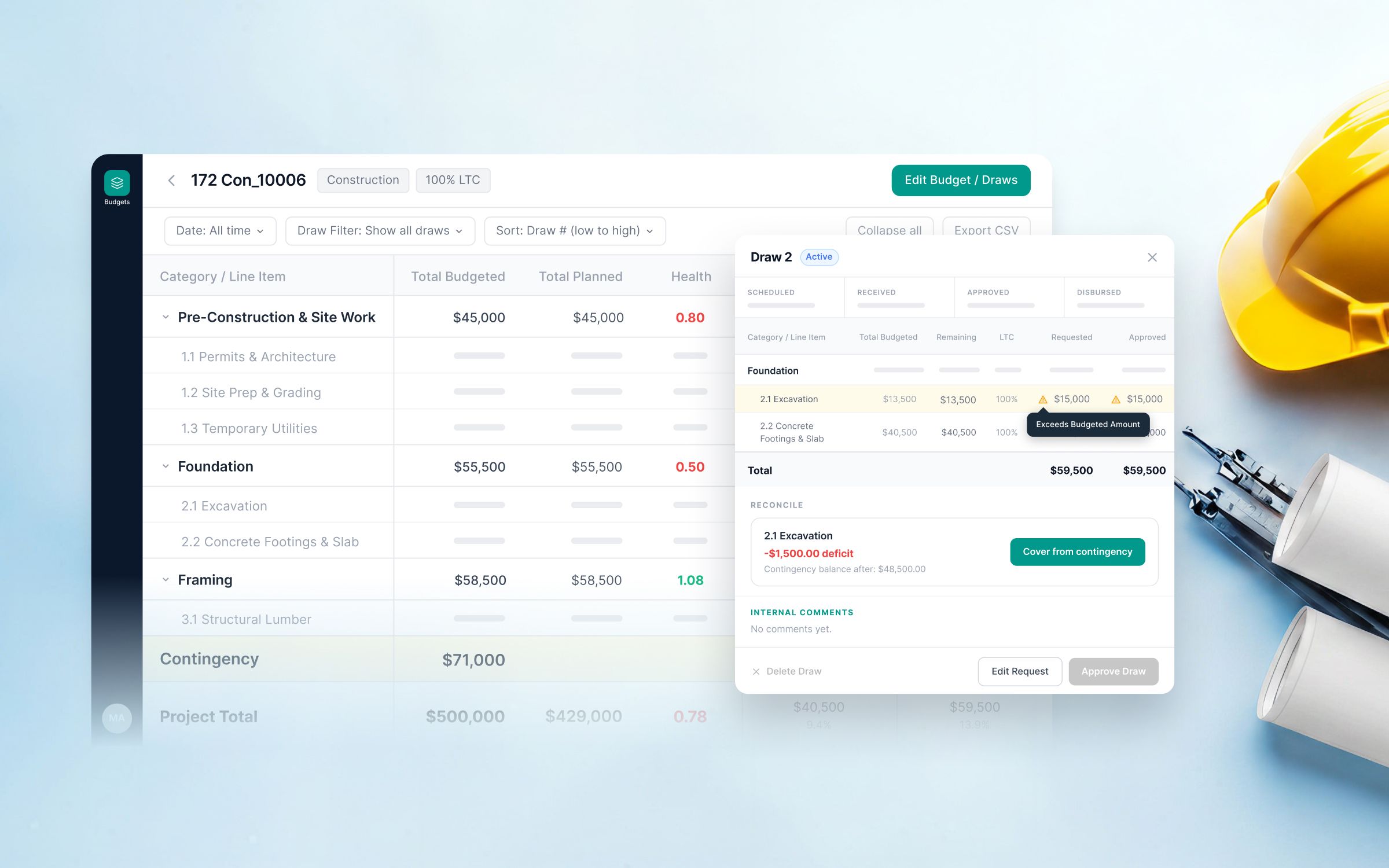
So we built Draw Management to track budgets right inside Mortgage Automator.
Instead of jumping between platforms, you can now manage the full draw lifecycle right where the loan already lives. You build your budget once—category, line item, and amount—and that becomes the single source of truth everyone works from. When draw requests come in, the system checks them automatically against the budget, enforces your LTC limits, and flags discrepancies before money goes out the door.
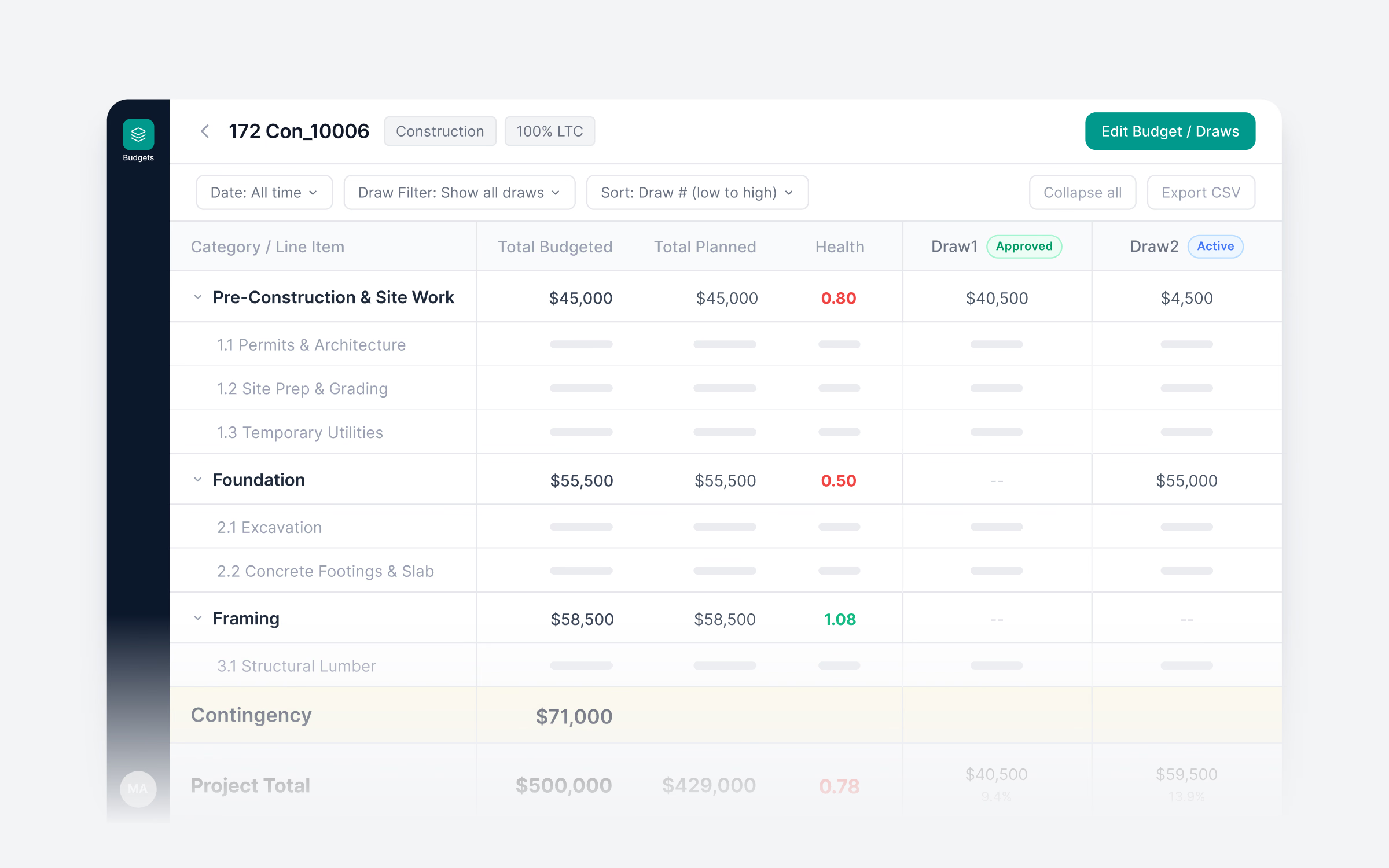
One feature I’m particularly amped about is Project Health. It tracks work completed against funds disbursed on every active loan and gives you an automated score. So instead of finding out a project is drifting off track during an end-of-month review, you catch it early.
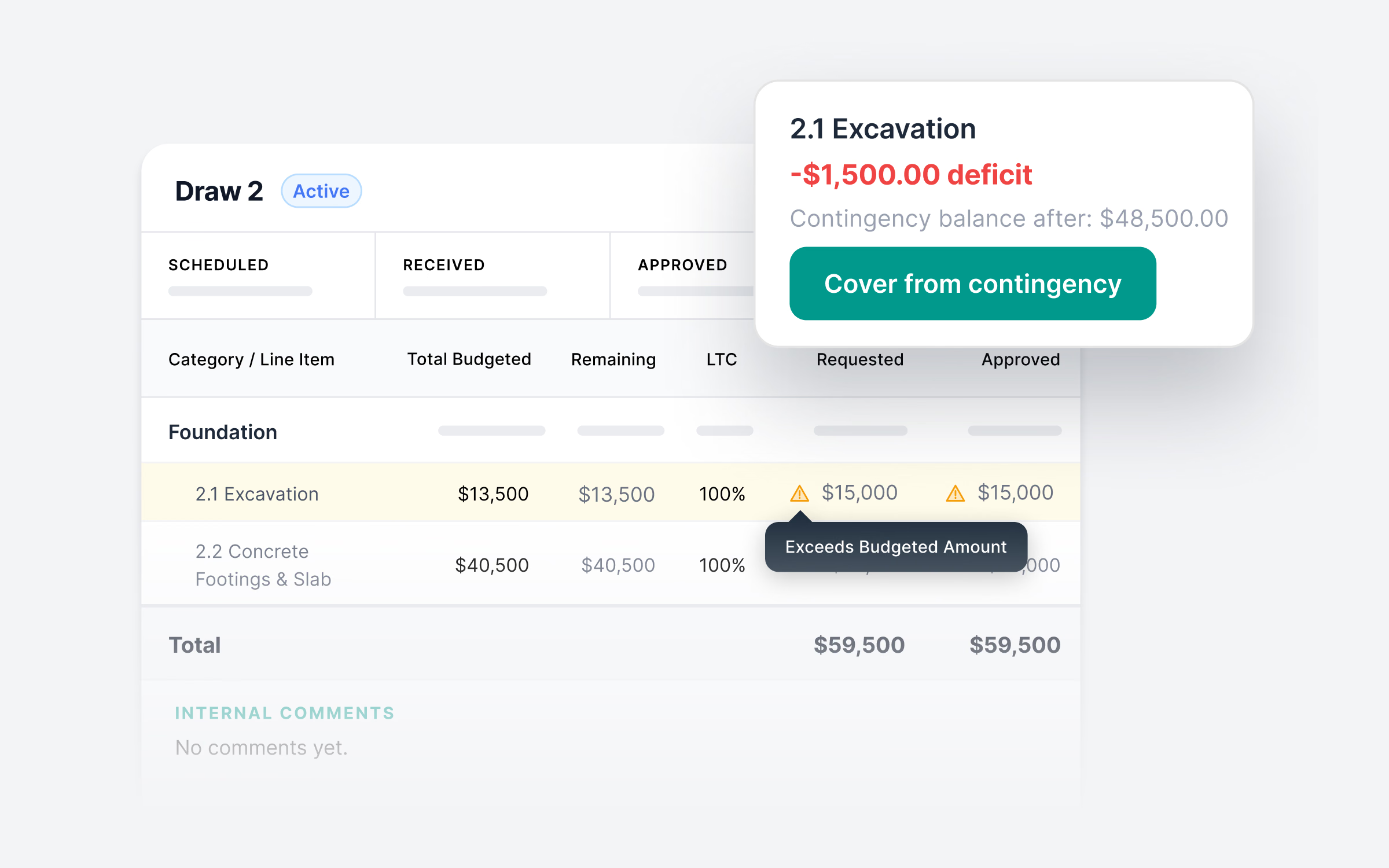
We beta tested this with a group of clients over the last few months, and the feedback confirmed what we suspected: having draws and Project Health right inside their existing setup made standardizing their workflow simple, without the headache of onboarding yet another vendor.
Draw Management is live today and included in our Origination Pro+, Servicing Pro+, and Fund Pro+ packages. If you’re already on one of those tiers, it’s waiting for you in your account right now.
If you’re running construction or fix-and-flip loans and want to see how it works, hit up your account team or request a walkthrough.