Give Your Construction Budget a Permanent Address

Build your budget once so everyone works from one source of truth. Construction draw management software inside Mortgage Automator lets you manage every payout and track project health in real time.

See Draw Management in action.

Schedule A Walkthrough

4.9/5 star rating on G2 and Capterra

Trusted by 400+ lenders

SOC 2 Type II certified
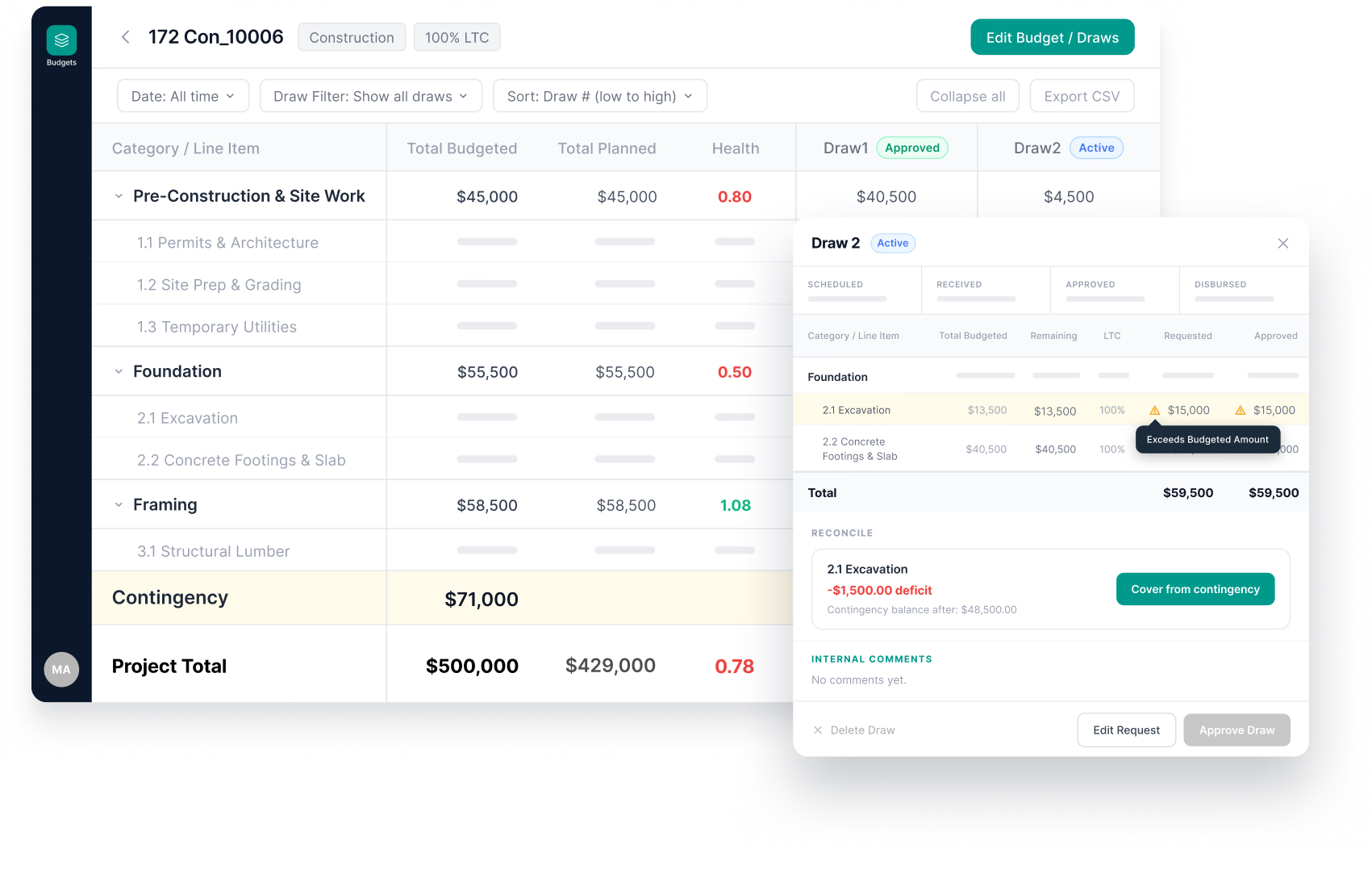
A digital dashboard interface showing a loan process between a borrower and a lender, with a list of active loan projects below.

Stop managing one loan in two different systems.

If you originate, service, or manage construction and fix-and-flip loans, chances are your budget doesn't live near the loan file. It's trapped in a spreadsheet somebody emails around or stranded in a separate platform. Every draw forces you to pull up two systems and hope the numbers still agree.

How Draw Management and Budget Tracking in Mortgage Automator Works
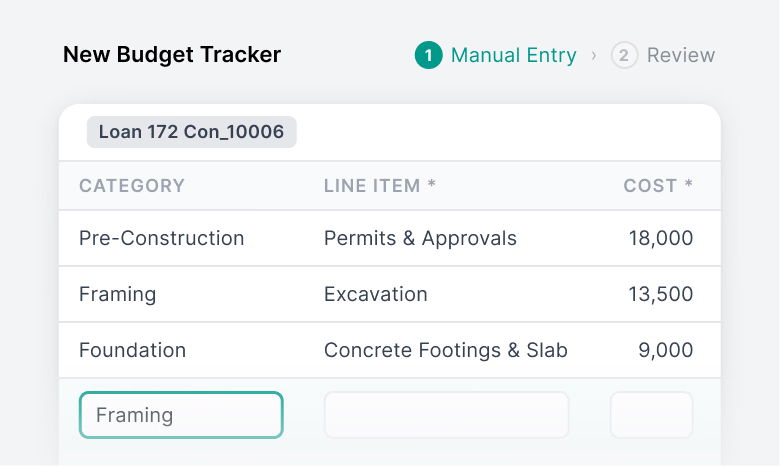
A New Budget Tracker interface showing a table with categories, line items, and costs for a construction loan.

Get in fast

Input three core details—category, line item, and budgeted amount—and your live tracker is ready. No files to convert and no formatting to fight.
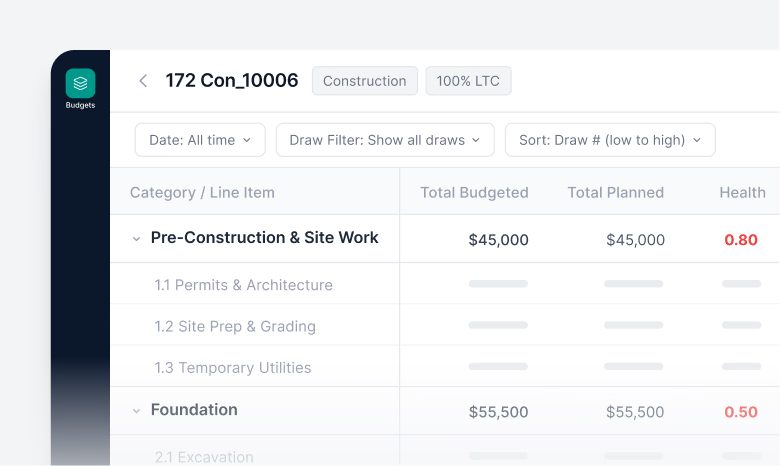
A budget management interface displays project line items, their associated costs, and health scores in a structured table.

One version, not five

Once your budget is set, it stays locked in your loan file. Everyone works from the same live data, preventing rogue edits and missed updates.
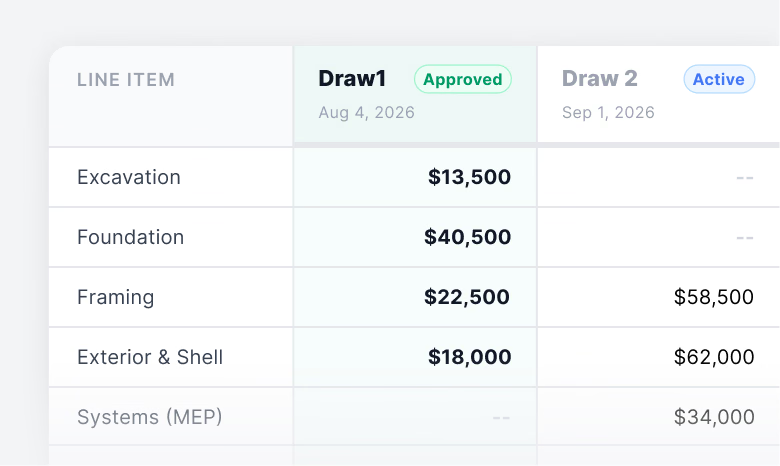
A financial table showing line items for construction draws, including costs for excavation, foundation, framing, exterior, and systems.

Every draw, planned or not

Schedule draws in advance or process requests as they come in—directly inside the loan file you're already working in.
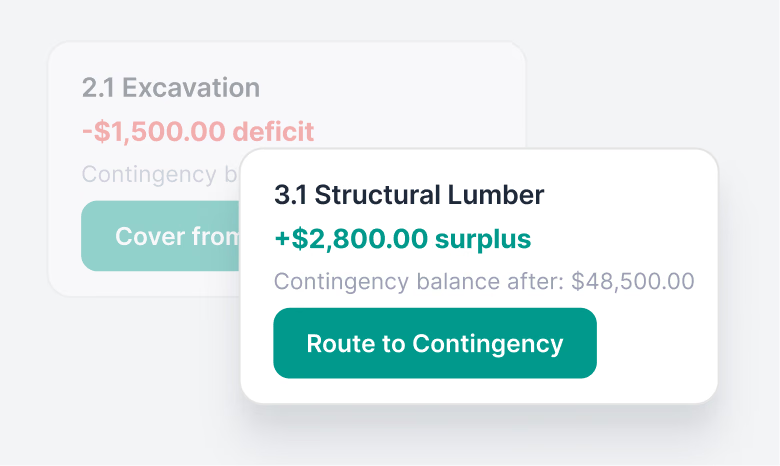
A digital interface card displays a $2,800.00 surplus for structural lumber with an option to route the funds to a contingency balance of $48,500.00.

Approve with confidence

Every draw request checks against the budget automatically, enforcing flexible LTC limits and flagging line-item imbalances before money moves.
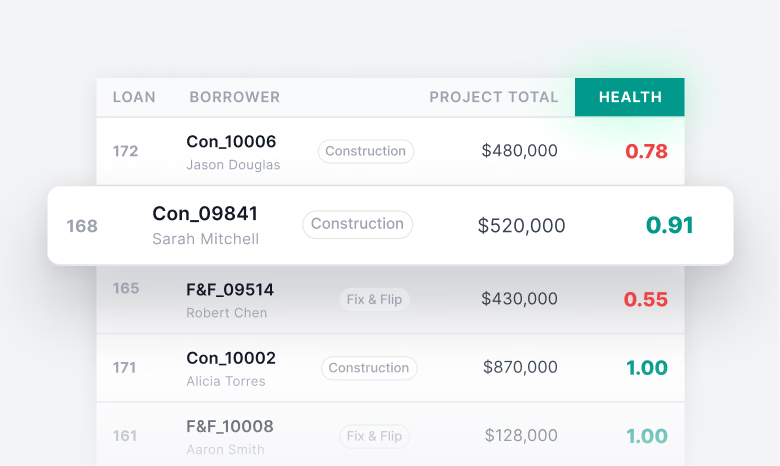
A table showing a list of loans with borrower names, project types, total project costs, and health scores, with one row highlighted.

See your book at a glance

Project Health gives every loan a score based on work completed versus funds disbursed, so you spot troubled projects long before they need a rescue.
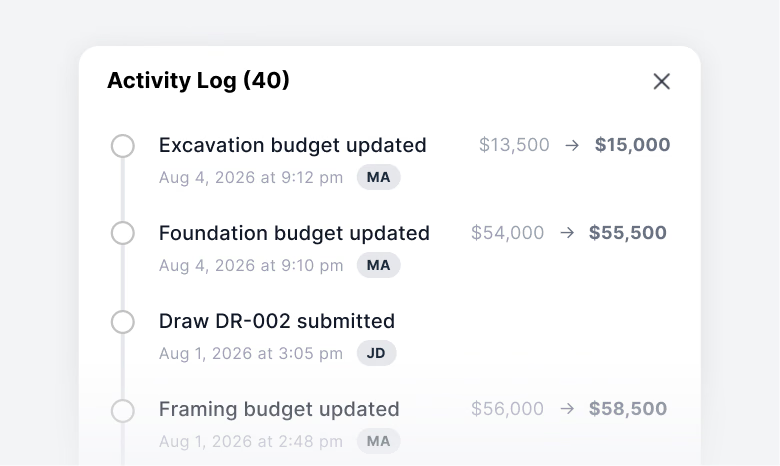
A digital activity log window displays a chronological timeline of budget updates and document submissions with timestamps and user initials.

Nothing happens off the record

A full audit trail logs every adjustment, so you always know when the budget moved, who changed it, and why.

Schedule A Walkthrough

Built for How Construction Lenders Operate

Ground-up construction

Track complex, multi-stage budgets from foundation to final walkthrough without losing control.

Fix-and-flip

Support lending workflow automation across payments, statements, renewals, borrower updates, and servicing tasks. This helps reduce the manual steps that usually pile up after closing.

Portfolio reviews

Evaluate Project Health across your active portfolio before your risk committee meets, not during it.

Frequently Asked Questions

What is Mortgage Automator's Project Health Score?

Loan servicing software helps lenders manage the work that happens after a loan closes. That includes payment tracking, statements, borrower updates, renewals, documents, reporting, compliance records, and portfolio activity.

For private lenders, it keeps servicing from becoming a mix of spreadsheets, inboxes, and manual follow-ups.

How does Draw Management protect against over-funding line items?

The system automatically monitors category and line-item totals during every draw request. If a borrower requests funds that exceed the allocated scope, the system flags the variance immediately so you can reallocate contingency funds or adjust the request before funding.

Is disbursement automatic?

Draw review, calculations, and approvals happen inside Draw Management. The final funding transaction is processed directly through Mortgage Automator’s core servicing system.

Still Have Questions?

Contact Sales

Don’t take our word for it, read what other private lenders have to say about us.


5 stars
“User-friendly software interface and comprehensive features
The Mortgage Automator’s intuitive design makes navigating complex mortgage processes a breeze, even for users with limited technical expertise. Additionally, the robust reporting capabilities provide valuable insights into loan performance and operational efficiency, empowering lenders to make informed decisions.”
Jason Anbara
Founder & President, NorthLend Financial Inc.

left arrow
right arrow
5 stars
Very satisfied with Mortgage Automator
Getting our business on Mortgage Automator has been a massive shift for us and has brought positivity in all areas of our business. This software is very robust yet very easy to use and figure out. It has helped us transform our operations and continues to allow us to streamline and improve efficiency.
Mark C.
Mortgage Broker, One Stop Mortgage Corp.
5 stars
Very pleased with our choice of Mortgage Automator
What we like most about Mortgage Automator is the ease of use along with the very responsive and helpful customer service. It is completely integrated and helps us in all phases of our business, from originating, to underwriting, to servicing, keeping our entire business under one software.
Chris A.
Chief Operating Officer, Yieldi
5 stars
A One-Stop Shop for Mortgage Servicing from Origination to Pay off and More
There is no better way to keep our loans organized, serviced, and monitored all in one place. We use the product every single day and it has become the backbone of our deal flow. MA has allowed us to streamline our process from beginning to end. It allows us to address problems quickly and efficiently.
Jason W.
Verified G2 Review
5 stars
Great Software
Overall, the experience has been great. We have been able to streamline our business and make our processes simpler, faster, and easier, saving us time and money. The software is easy to use and integrates well with our current practices. Regular updates to the software increases functionality.
Vince O.
Mortgage Underwriter, Interfinance Mortgage Corporation
5 stars
Automator makes preparing loan commitments efficient
The Automator Team provided a thorough onboarding/training process. Customizing the dashboard to organize file progress based on our workflow. Generating lawyer instructions within the email communication saves a lot of time. Automator seems to be proactive with continuous development.
Stephanie W.
Mortgage Administrator, Three Point Capital Corp
5 stars
Essential Software for Efficient Mortgage Management
The software is highly customizable, which allows us to tailor it to our specific needs. The document automation feature saves us a lot of time and reduces the chance of errors. Moreover, their customer support is outstanding - responsive, helpful, and always ready to solve any issues that arise.
Eugene G.
Loan Officer, Verified Sourceforge Review
5 stars
Mortgage Automator has made our lives better
One of the greatest things about the MA software is the time saving. What used to take hours to set up, fill out forms and save documents - now takes so much less time. The MA people are incredibly helpful and adaptable to make changes as we see fit for our business. They are ROCKSTARS!
Lauren H
Senior Mortgage Underwriter, Magenta Capital Corporation
5 stars
Comprehensive Lending and Administration Platform with Great Support
I love the support and customer centricity... The platform is comprehensive and always evolving, that helps us consolidate our technology stack and minimize reliance on external systems. The ability to get deals submitted from the origination platforms directly to us is a big factor as it streamlines the digital application process.
Yahya M.
Verified G2 Review
cute mascot robot Morty pointing at something

See Draw Management Live

Build your budget once, manage every draw, and track project health across your loan book.

Schedule A Walkthrough